Problem:
When trying to start an exam you see the error message below:
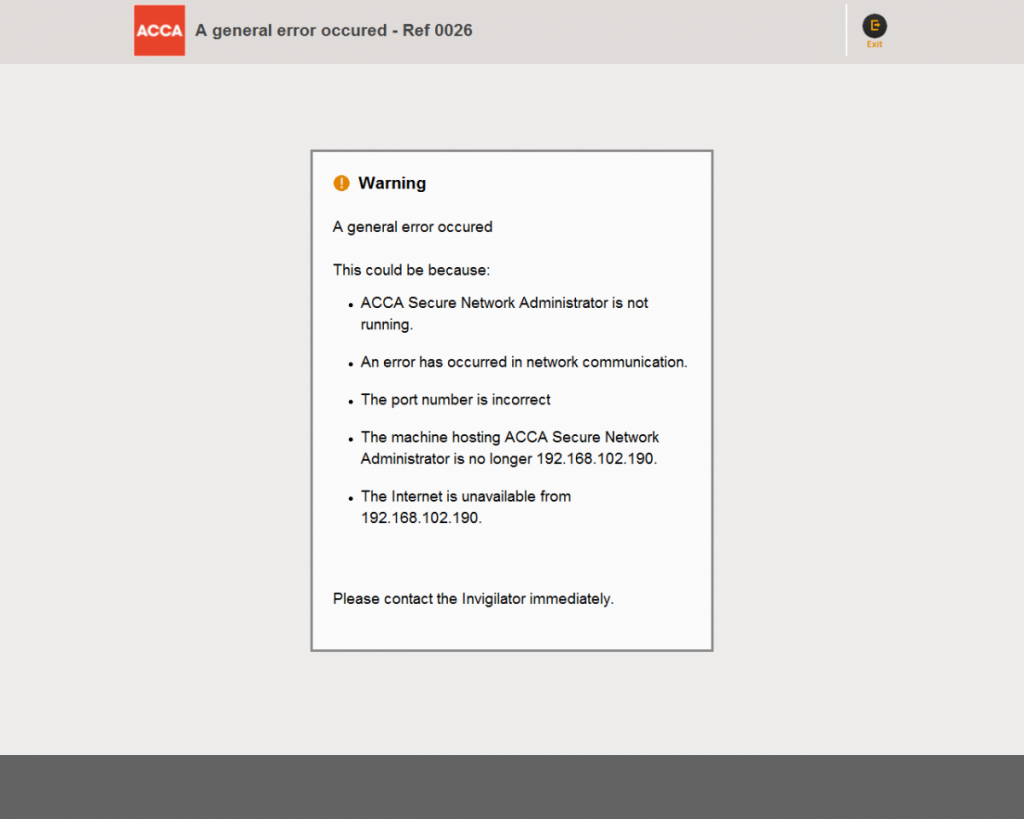
Cause:
An error has occured within the examination system – the potential causes are outlined in the error message.
Solution:
Try the following to troubleshoot this error:
Ensure SNA is running, and you are logged in.
Ensure your network connection is stable. If you are having issues with your network, please ask your centre IT staff to check this.
Close Examiner on the student PC and attempt to re-start.
If this does not resolve the issue then it may be necessary to terminate and re-start SNA.
Before terminating SNA please ensure there are no other unaffected students ready to select ‘Start Exam’ or exit from an exam. If there are students with an exam in progress their exam will be unaffected.
Terminate SNA by right-clicking the SNA icon in the taskbar and selecting Terminate. Please also open Task Manager (CTRL + SHIFT + ESC) and select the Processes tab.
Select the check box at the bottom of the dialog “Show processes from all users” and look for ExamAdminClient.exe. Select any instances present and click End Process.
Restart SNA and select refresh token display. The student should then be able to start their exam.
You may also find the information on this page useful – https://cbefaq.accaglobal.com/?page_id=177
If this does not resolve the issue , please contact the ACCA CBE Team –cbe@accaglobal.com